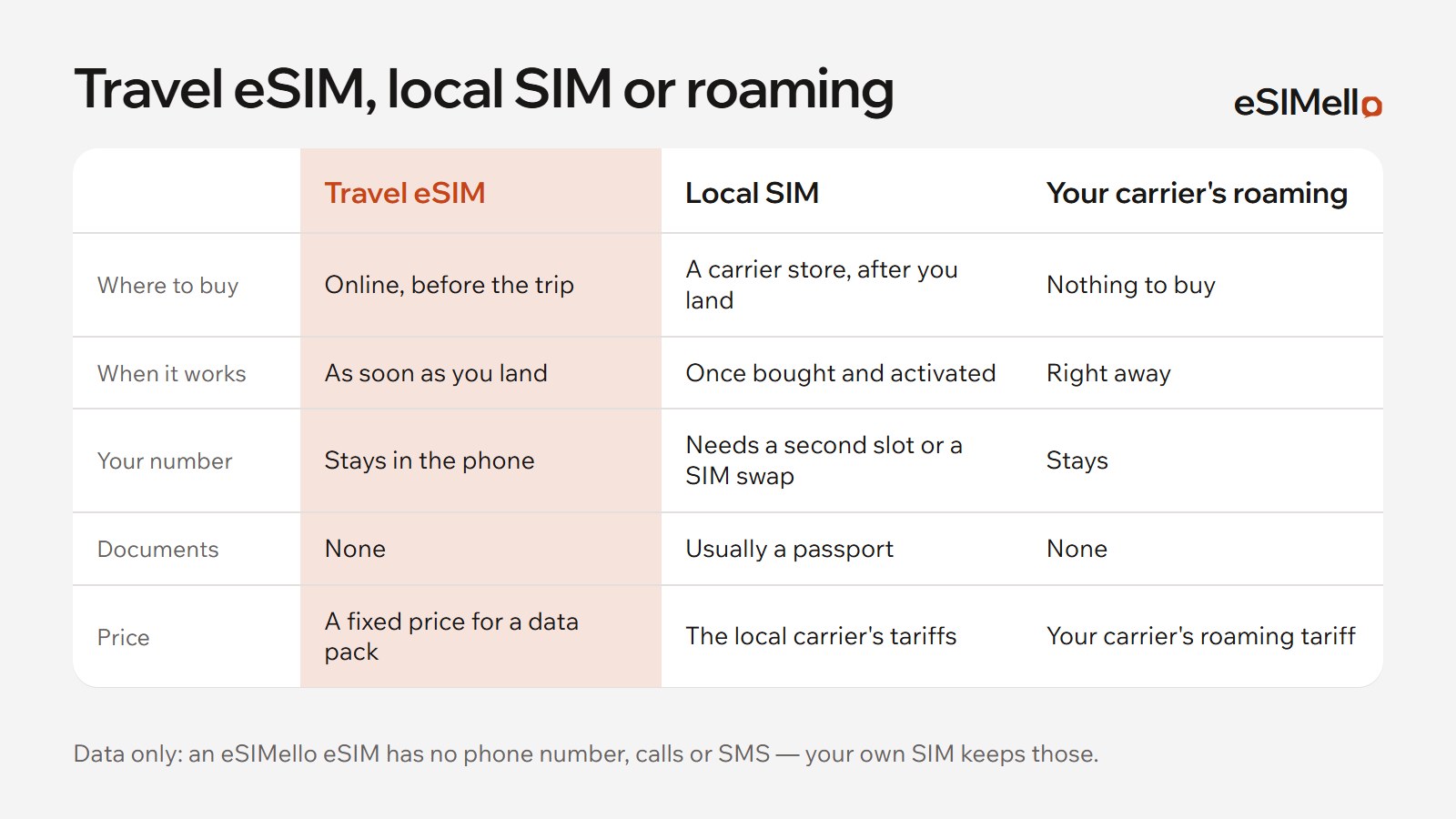
In Thailand you can stay online with your home carrier's roaming, a Thai SIM card bought after you land, or a travel eSIM installed before you fly. Here is how our Thailand eSIMs work.

Our Thailand plans
- Networks: AIS, DTAC and TrueMove H with 5G, and True Move with 4G. Each plan's card lists the networks it uses.
- Where the traffic reaches the internet: in Hong Kong, Singapore or Thailand, depending on the plan, so websites see an IP address from there.
- Two kinds of plan: a pack of data for the whole validity, or an allowance for each day. Each plan's card says what speed you get once a day's allowance is used.
- When the validity starts: for almost every plan, when your phone first connects to a network in Thailand, not when you buy or install the eSIM. Start using it within 180 days of buying it.
- Running low? Top the same eSIM up in My eSIMs, on plans that take a top-up.
More of Southeast Asia on the same trip?
- Southeast Asia plans cover Thailand, Cambodia, Indonesia, Laos, Malaysia, the Philippines, Timor-Leste and Vietnam.
- Asia plans cover 28 countries and territories, from Japan to Australia.

Before you fly, and after you land
- Check that your phone supports eSIM, in our list of devices.
- Buy a plan and install the eSIM at home, on Wi‑Fi: step-by-step guides for iPhone and Android.
- After landing, turn on the eSIM's line, choose it for mobile data and turn on data roaming for it. Abroad, a travel eSIM connects through roaming, at no cost beyond your plan.
- Keep data roaming off for your own SIM, so your home carrier doesn't charge you.
If it doesn't connect, see what to check when an eSIM is stuck on “Activating”. A travel eSIM is data only: keep your own SIM on for calls and texts.