Each check below takes a minute. Go through them in order.

First: keep the eSIM installed
Whatever the screen says, don't delete the eSIM while you check. A deleted eSIM can be installed again only on the same phone, from the same QR code, as the FAQ explains. To stop using it for a while, turn its line off instead.
1. Are you in a country the plan covers?
Many of our plans start their validity when your phone first connects to a network the plan covers, not when you buy or install the eSIM. The plan's card and its destination page say which. Until you are in one of the plan's countries, there is no network for the eSIM to join, so it can't finish connecting at home. Install it before you fly, and check it again after you land.
2. Is the eSIM's line turned on?
- iPhone: Settings › Mobile Service (Cellular on some iPhones) › your travel eSIM › Turn On This Line.
- Android: Settings › Connections › SIM manager, then switch on your travel eSIM.
3. Does mobile data use the eSIM?
- iPhone: Settings › Mobile Service › Mobile Data, then choose the travel eSIM. Leave Allow Mobile Data Switching off, so your own SIM isn't used for data abroad.
- Android: Settings › Connections › SIM manager › Preferred SIMs › Mobile data, then choose the travel eSIM.
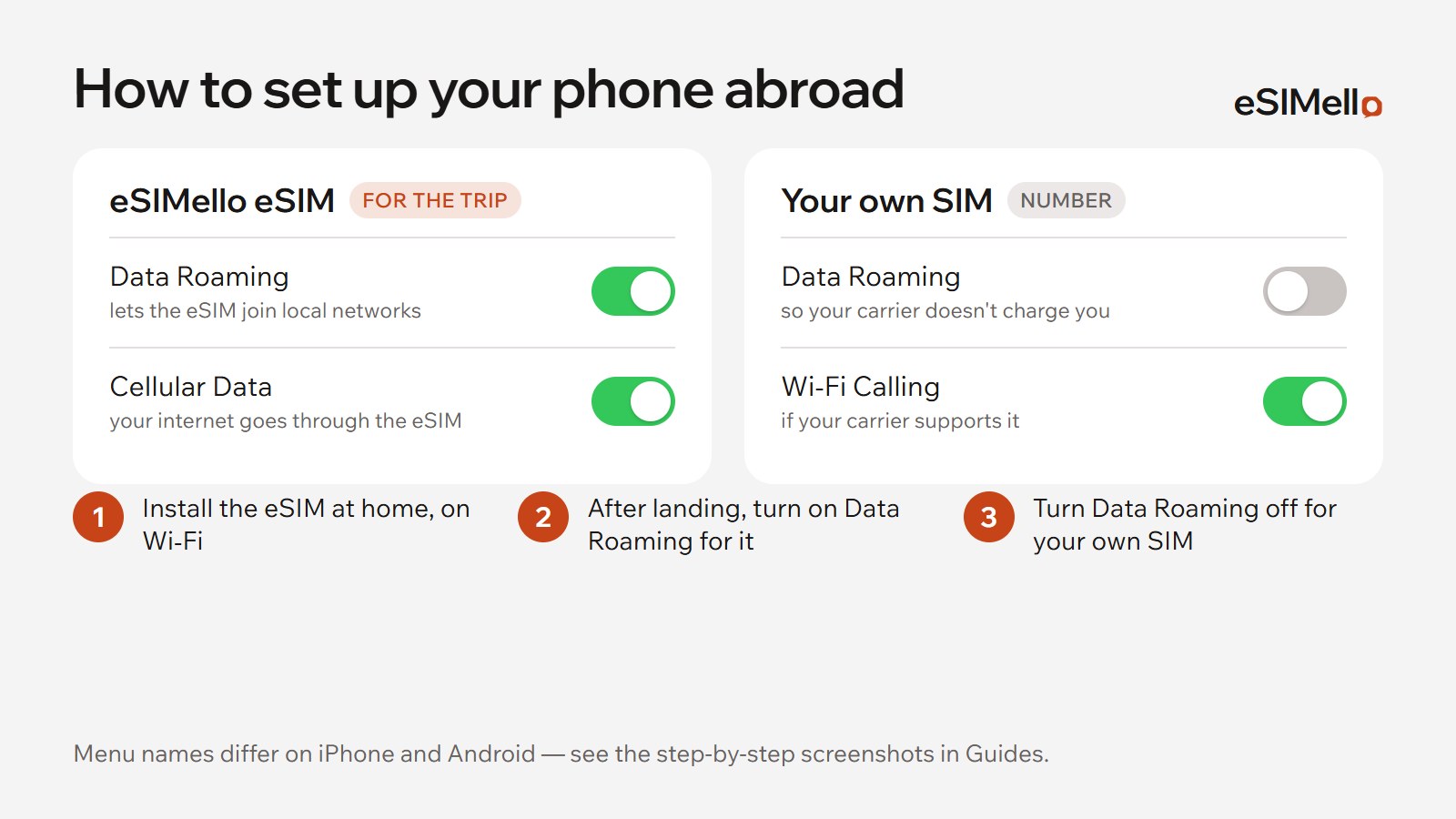
4. Is data roaming on for the eSIM, and off for your own SIM?
Abroad, a travel eSIM connects through roaming, at no cost beyond your plan. So turn Data Roaming on for the travel eSIM, and keep it off for your own SIM, so your home carrier doesn't charge you.
- iPhone: Settings › Mobile Service › your travel eSIM › Data Roaming.
- Android: Settings › Connections › Mobile networks › Data roaming.
5. Reconnect: Airplane Mode, then a restart
Apple's own advice for “No Service” is to turn on Airplane Mode for at least 15 seconds and turn it off again. If the eSIM still doesn't connect, restart the phone.
6. On an iPhone, check for a carrier settings update
Connect to Wi‑Fi and open Settings › General › About. If an update is available, an option to update your carrier settings appears there.
7. Is the phone locked to a carrier?
A phone locked to one carrier can't use another's eSIM. On an iPhone, Settings › General › About shows No SIM Restrictions next to Carrier Lock when it is unlocked. On another phone, your carrier can tell you.

What My eSIMs tells you
My eSIMs, on the website or in the Telegram Mini App, shows each eSIM's status:
| Status | What it means |
|---|---|
| New | Issued and ready, but not installed yet |
| Onboard | Installed, waiting for its first use |
| In Use | Installed and serving data |
| Depleted | Its data is used up; top it up in My eSIMs, on plans that take one |
| Suspended | Installed but currently disabled |
| Deleted | Removed from the phone, or no longer valid |
The network reports usage every 2–3 hours, so the last few hours may not show yet.
When to write to support
If the eSIM still doesn't connect after these checks, write to us in Telegram. Send its status from My eSIMs, the country you are in, your phone's model and a screenshot of the eSIM's line in your settings. A person replies within 24 hours, in English or Russian.