For mobile data in New Zealand you can use your home carrier's roaming, a visitor SIM from a New Zealand carrier, or a travel eSIM. This guide covers what our New Zealand eSIMs are, what the local carriers sell to visitors, and how to choose, whether you are still packing or already there.
Our New Zealand plans
- Network: One NZ. One NZ says its mobile network covers over 99% of the population and about 60% of the country's land (read 15 November 2026). Outside towns and main roads, check its coverage map for the places you plan to visit.
- 4G or 5G: each plan's card says which. Most of our New Zealand plans are marked 3G/4G and a few 3G/4G/5G. In practice 3G/4G means 4G: One NZ switched off its 2G and 3G networks on 23 March 2026.
- Data only: the eSIM has no phone number, calls or SMS. Messaging apps work over its data.
- Where the traffic reaches the internet: in the United Kingdom, so websites see an IP address from there.
- Two kinds of plan: a pack of data for the whole validity, or an allowance for each day. On a daily plan, once the day's allowance is used the speed drops to the one on the plan's card until the allowance renews.
- When the validity starts: when your phone first connects to a network in New Zealand, not when you buy or install the eSIM. Start using it within 180 days of buying it.
- Running low? Top the same eSIM up in My eSIMs, on plans that take a top-up. Nothing to reinstall.
How much data does a trip need?
One NZ publishes estimates of what an hour of use takes (read 15 November 2026; a guide only, it says, based on average use on 4G):
| An hour of | Data |
|---|---|
| Web browsing | 40 MB |
| Google Maps | 72 MB |
| Music streaming | 120 MB |
| Video chat | 220 MB |
| Video streaming (YouTube) | 480 MB |
By those figures, an hour of maps and an hour of browsing a day is a little over 100 MB, less than 1 GB in a week. An hour of video a day is about 3.4 GB in a week.
What our plans of those sizes cost today:
| Plan | Our price |
|---|---|
| 1 GB for 7 days | $2.13 |
| 3 GB for 15 days | $6.28 |
| 5 GB for 30 days | $8.36 |
| 10 GB for 30 days | $14.00 |
| 20 GB for 30 days | $24.49 |
Our prices are in US dollars.
A visitor SIM from a New Zealand carrier
The carriers sell prepaid plans made for visitors. These are their own prices in New Zealand dollars, read on their sites on 15 November 2026.
One NZ sells a Travel eSIM with calls and texts as well as data:
| Plan | Data | Lasts | Price |
|---|---|---|---|
| Travel eSIM $29 | 2 GB | 30 days | NZ$29 |
| Travel eSIM $49 | 10 GB | 60 days | NZ$49 |
| Travel eSIM $69 | 40 GB | 90 days | NZ$69 |
| Travel eSIM $99 | 100 GB | 90 days | NZ$99 |
You can buy it online before you arrive and activate it by calling 777 once you land, or buy it in a One NZ store or at an airport. It works in New Zealand only, and its terms say the plan does not renew.
2degrees sells an Unlimited Travel SIM: unlimited data in New Zealand, with unlimited calls and texts to New Zealand and Australian numbers. You pay by the day, from NZ$24 for 3 days to NZ$95 for 30 days (NZ$35 for 7 days, NZ$60 for 14). It is a physical SIM card with a New Zealand number on the pack, sold at 2degrees stores and, its launch announcement says, at some airports.
Spark has its own offers for visitors on spark.co.nz.
Which one to choose
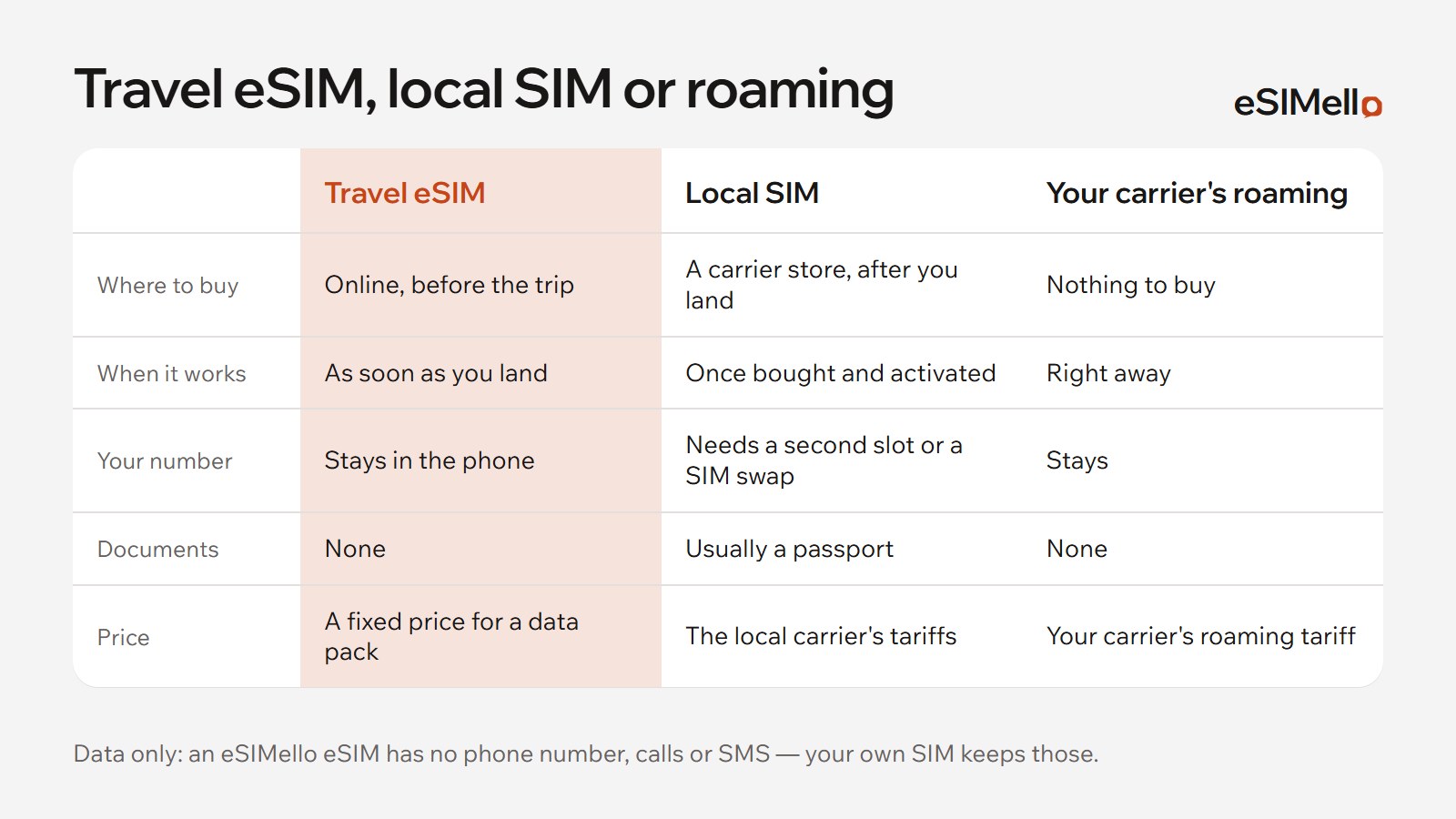
- You need a New Zealand number, for local calls and texts: take a carrier's visitor SIM. Ours has no number.
- You want data working when you land, with nothing to buy or activate at the airport: install a travel eSIM at home. Your own SIM stays in the phone for calls and texts.
- You use a lot of data or stay for months: compare the carriers' large plans with ours for the same days. Their plans include calls; ours are data only.
- Australia is on the same trip: the carriers' visitor plans work in New Zealand only. Australia & New Zealand plans cover both countries on one eSIM, Oceania plans add Fiji and other Pacific islands, and Asia plans reach from New Zealand to Japan. Each plan lists the countries it covers. See also eSIM for Australia.
Already in New Zealand?
You don't need to have bought before the flight. Buy a plan on any Wi‑Fi: the QR code and activation code appear in My eSIMs, usually within a few minutes. The validity starts when the phone first connects to the network, so for a pack of data, install it when you need it.
Installing it
- Check that your phone supports eSIM and is not locked to a carrier, in our list of devices.
- Buy a plan and install the eSIM on Wi‑Fi: step-by-step guides for iPhone and Android.
- In New Zealand, turn on the eSIM's line, choose it for mobile data and turn on data roaming for it. A travel eSIM connects through roaming, at no cost beyond your plan.
- Keep data roaming off for your own SIM, so your home carrier doesn't charge you.
If it doesn't connect, see what to check when an eSIM is stuck on “Activating”, then write to us in Telegram.
Calls and texts
A travel eSIM has no phone number, calls or SMS. Keep your own SIM on for those, with Wi‑Fi calling if your carrier offers it: see does a travel eSIM have a phone number?