How to activate an eSIM on Android
Turn on a travel eSIM and its mobile data on an Android phone, in 9 steps with a screenshot of each.
Step 1 of 9
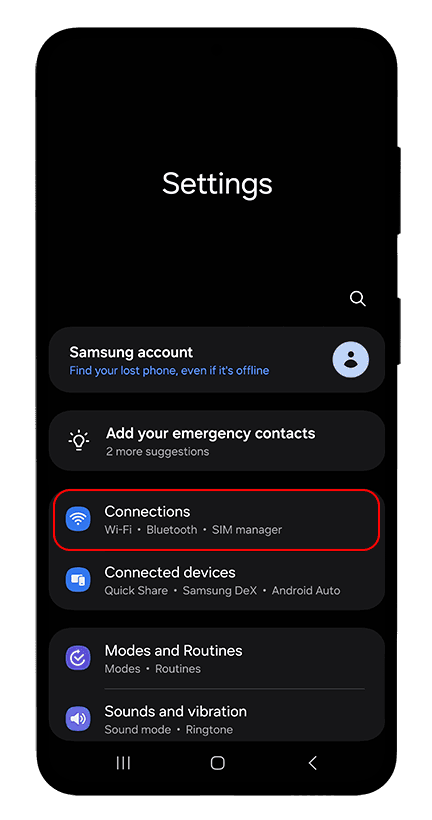
When you arrive, open Settings and tap Connections.
Step 2 of 9
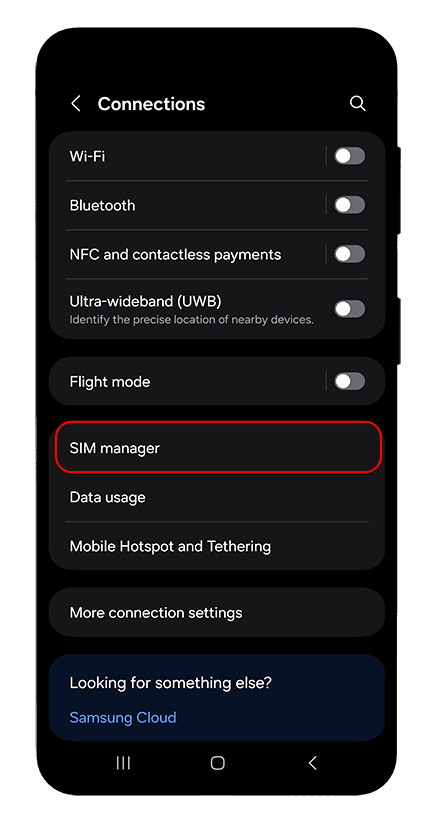
Tap SIM manager.
Step 3 of 9
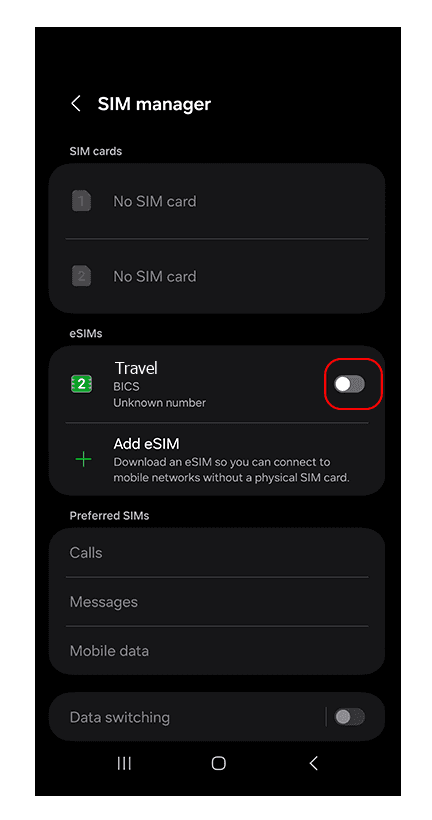
Turn on your travel eSIM with the switch next to it.
Step 4 of 9
Under Preferred SIMs, tap Mobile data.
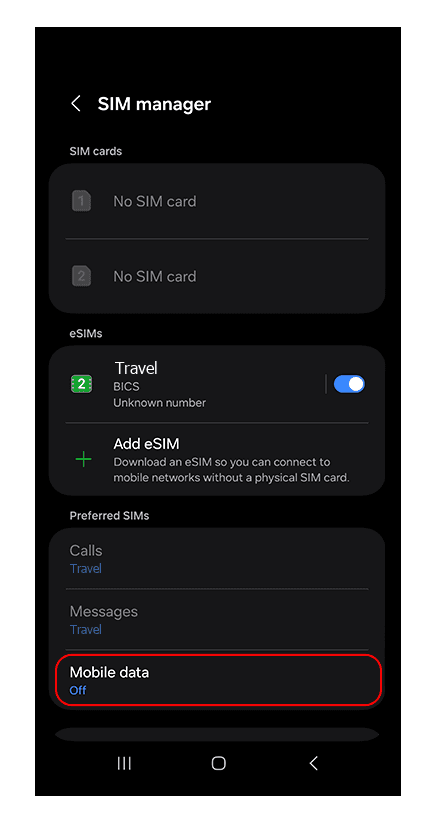
Step 5 of 9
Choose your travel eSIM.
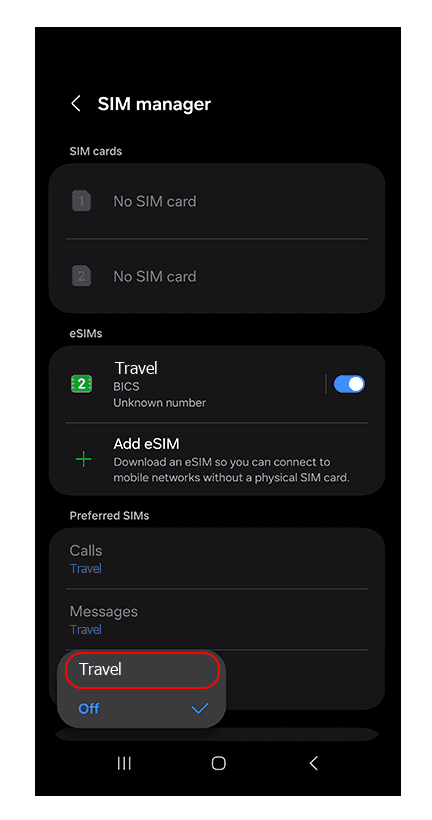
Step 6 of 9
Mobile data now uses the travel eSIM. Go back to Connections.
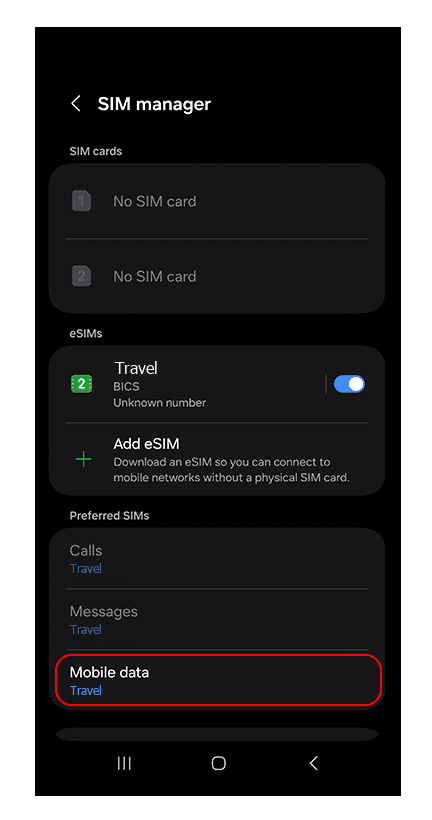
Step 7 of 9
Tap Mobile networks.
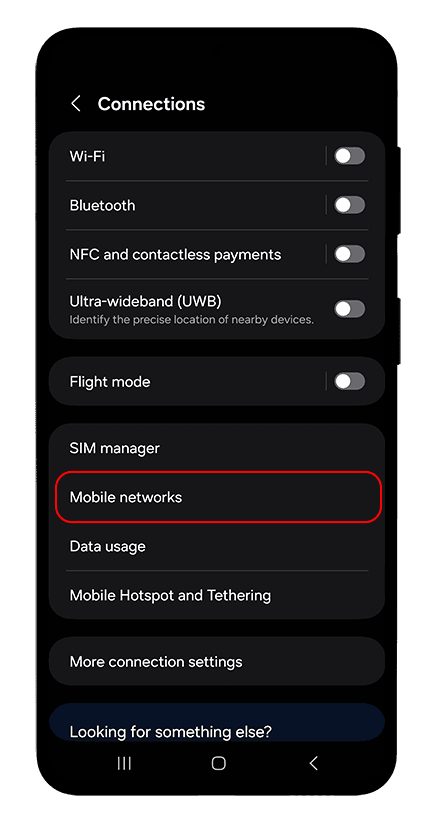
Step 8 of 9
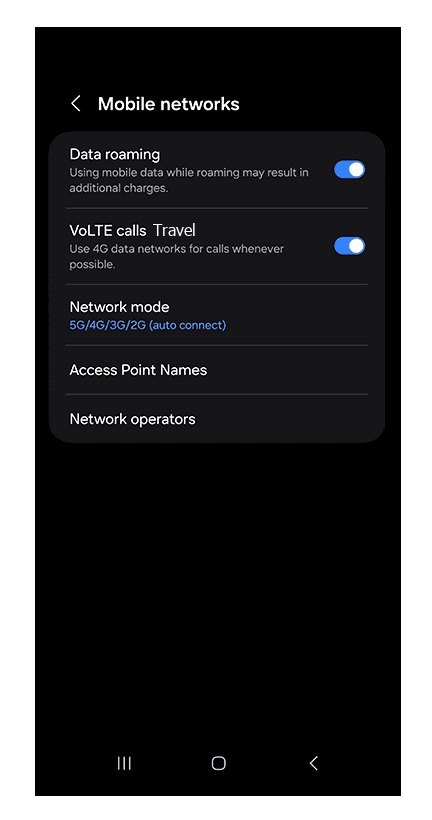
Turn on Data roaming. Abroad, the travel eSIM connects through it, at no cost beyond your plan.
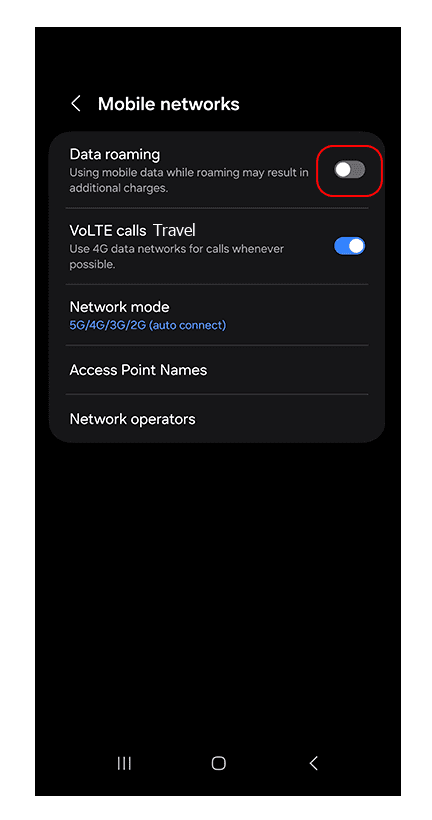
Step 9 of 9
Data roaming is on and the eSIM connects to a local network. Keep data roaming off for your own SIM.